
Take one job that only you know how to do and run it through Claude, ChatGPT and Copilot. Find out which works best for you and what you do, then build your system in it. Four hours, your laptop, your business.
Can't make this date? Register your interest and we'll email you when the next one is set. Teams of 6 or more: ask about a private session.
No upcoming dates right now. Please check back soon.
Every business has a job that lives in one person's head.
Someone rings. You take their name, check the diary, text them a time and write it on the whiteboard. You could do it in your sleep. Nobody else could do it at all.
That is the job we start with. Over four hours you take it through Claude, ChatGPT and Microsoft Copilot, practise with the features of each and compare what you get. We teach privacy, safety and prompting in each tool, so you know what to switch off, what to keep out and how to ask.
Then you pick the tool that works best for you and what you do. You write that job down as a one-page process a new staff member could follow on day one, and build the place that holds the next ten.
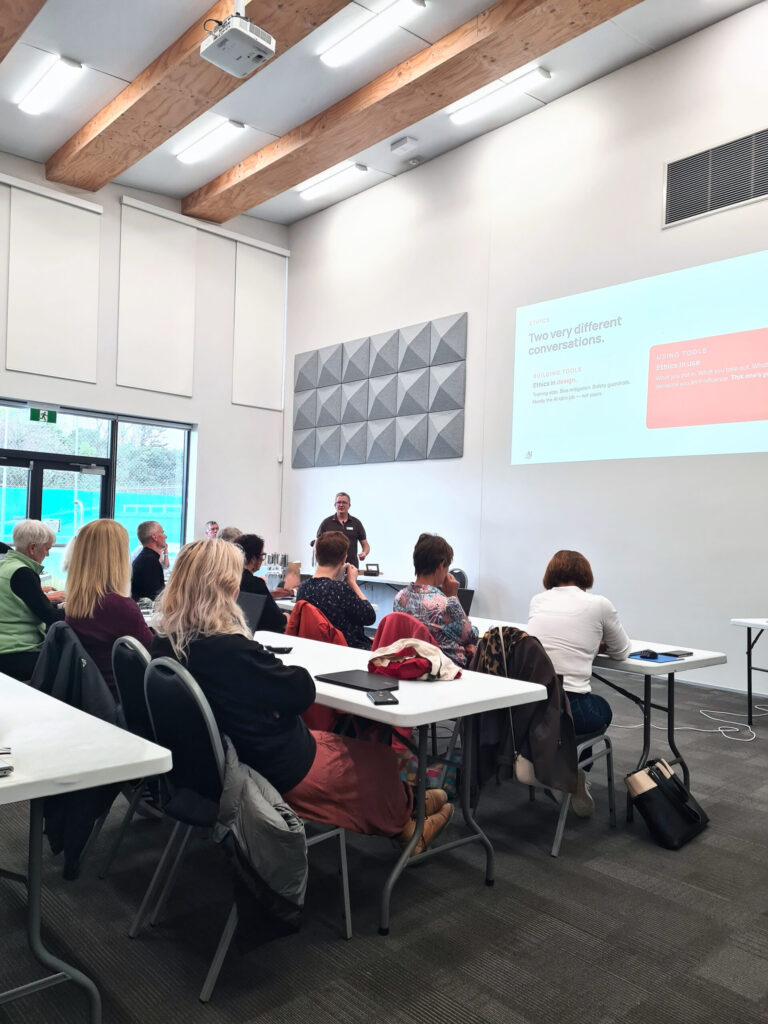
This is a workshop, in person and hands on. You do all of it on your own laptop, with J and a helper walking the tables. Nobody moves on until everyone is in.
No hype and no sales pitch. We are a not-for-profit with no software to sell.
Accounts, your name and preferences. Then privacy and safety in each tool: what it does with your data and which settings to change.
The Context, Task, Constraints pattern, run on the same job in Claude, ChatGPT and Copilot. Compare the answers, and learn the check you do before anything leaves your desk.
The messy version first. Give it to each tool and keep the best one-page process.
Instructions and workspaces in all three: Projects in ChatGPT and Claude, Notebooks in Copilot. See how each one saves a task you repeat, and what your plan allows.
Choose the one that works best for you and what you do. Build your workspace in it, then use it to write a second process.
Where each tool plugs into your email and files, what an AI policy is for, and the one task you'll do before next Friday.
Business owners, managers and small teams who want AI doing real work.
No coding and no AI experience needed. We'll help you set up the tools you don't have.
You do the quoting and the chasing yourself. Some of it could be written down and handed over.
You want one way your team uses AI, set up once, instead of six people prompting six different ways.
Copilot came with your Microsoft 365. Nobody has shown you what to do with it, or how it compares.
Everyone has an opinion. You want to try them side by side on your own work before you pay for anything.
You have an account and you've asked it a few things. It hasn't changed how you work yet.
You already run projects, skills and connectors every day. Look at ChatGPT Advanced or Automate your weekly admin with Claude.
Start here, then go further.
This workshop. Claude, ChatGPT and Copilot compared on your own work, your first process written down, and a workspace for the next one.
You are hereGo further with ChatGPT.
If you pick ChatGPT Next stepClaude takes on bigger jobs: recurring admin, and tasks that run while you do something else.
If you pick Claude Next stepBuild reports people read, from the content you already have.
If you pick Claude“As a newbie, just seeing what Claude can offer. So many ideas now and keen to learn more. The knowledge on how to set Claude up for my personal preferences was great too.”
“Hands on how to get started with a project was super helpful, and the encouragement to be confident to have a go and keep practising each day.”
“The fantastic explanation of concepts. Real care about my concerns regarding sensitivity of client information.”

Endevo Founder
J is a fractional AI Officer working with businesses across New Zealand and Australia, and a volunteer lead trainer for the Nelson AI Sandbox. He has trained more than 1,800 people in the past two years, from sole operators to executive teams. His sessions are hands-on, vendor neutral and free of hype.
A light, airy room with free off-street parking. Tea, coffee and morning tea are provided.
Three things, and you're ready.
Phones and tablets won't do for this one.
Bring the ones you have. We'll help you set up free ChatGPT and Claude accounts on the day. To use Copilot's full features, you'll need a paid Microsoft 365 Copilot licence.
You'll build around it.
No. Bring the logins you have and we'll help you set up free ChatGPT and Claude accounts on the day. Free Copilot runs in a browser. Its fuller features, like Notebooks, need a Microsoft 365 login. If you don't have one, you'll see those on screen. To use Copilot's full features, you'll need a paid Microsoft 365 Copilot licence. Check that your work account shows M365 Copilot (Premium) and that you can sign in on the laptop you're bringing.
Yes. You practise with the features of each, and we teach privacy, safety and prompting in each. Then you compare them and pick the one that works best for you and what you do. You also get a one-page guide to where each feature lives.
Yes. You'll get more out of the tool you have, and find out whether another one suits some of your work better.
Yes. Bring your work Microsoft 365 login. You can set your instructions and build a Notebook. Reaching your email and files, or building agents, depends on your licence and your IT settings. We'll show you what yours allows. Check that your work account shows M365 Copilot (Premium) and that you can sign in on the laptop you're bringing.
No. Free ChatGPT and Claude accounts are enough to get started, but you may hit usage limits if you do a lot of work in the session. Some people upgrade later once they know what they want AI for. That's your call, and we'll show you what the paid plans add.
Not on the day. Remove names and personal details first, and check your organisation's AI rules. We cover what each tool does with your data.
No. We are a not-for-profit with no software to sell. If a tool is wrong for a job, we will tell you. This is not a lead generation workshop to sign you up to something else.
Yes. Chamber members pay $179 incl GST. Select the member ticket when you book.
If you have an account but it hasn't changed how you work, this is the right place. If you already use projects, skills and connectors every day, look at ChatGPT Advanced or Automate your weekly admin with Claude.
Yes. Choose the invoice option when you get to payment on Humanitix.
Refund up to one day before the workshop. With two to three days' notice we can also move you to the same workshop on a later date.
Yes. Step-free access, accessible toilets and accessible parking.
Yes. Email storefront@aisandbox.org.nz and we'll get in touch.
$199 incl GST, plus booking fee. In person, hands on, no sales pitch. Bring your laptop and the job that lives in your head.
Nelson AI Sandbox provides AI education and information only. We do not provide professional advice. AI tools may produce inaccurate, biased or inappropriate outputs and may raise privacy, confidentiality, intellectual property, security and compliance risks. Users are responsible for assessing suitability and legality before using any AI tool, workflow or output. Liability is excluded to the maximum extent permitted by New Zealand law.