
Stop doing the same job by hand every week. Bring one job you're sick of. Leave with Claude working through it on your own files, step by step. In person and hands on, with no hype and no sales pitch. Make a day of it. Add the afternoon workshop, Dashboards, decks and one-pagers with Claude, and pay $484 incl GST for both. You save 10%
Can't make this date? Register your interest and we'll email you when the next one is set. Teams of 6 or more: ask about a private session.
No upcoming dates right now. Please check back soon.
Hand Claude the job you do by hand every week.
How you hand one over
You work in the Claude desktop app, in Cowork, the part of Claude that can use your files.
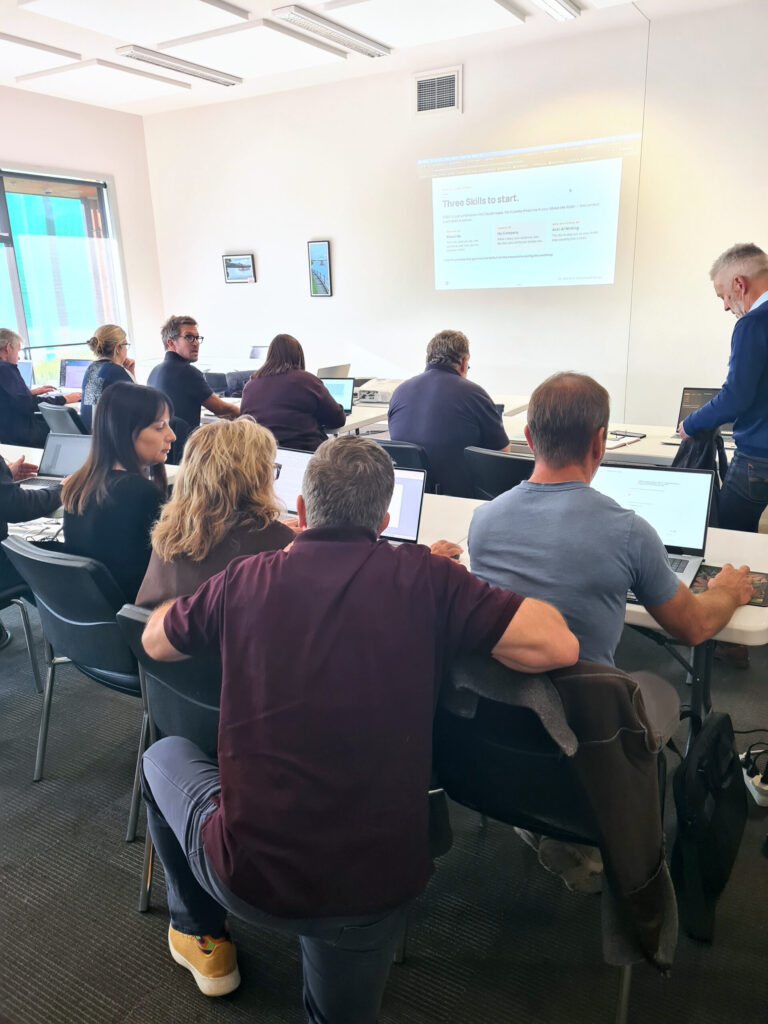
This is hands on. You do every step yourself, on your own laptop, with help in the room.
You stay in charge
By the end of the morning, Claude has done one real round of your job.
Hands on from start to finish. You set up your own job on your own files.
Your Claude account, the desktop app and three settings to check before you type.
Which tasks to hand over and which to keep in a chat. You pick your weekly job and write it down in plain English.
Inputs, outputs, templates. Point Claude at it and nowhere else.
Drop in this week's files, describe the task, watch the plan, approve each step. Refine until the output is one you'd send.
How often it runs, what to watch for, and when to stop it. The four safety rules.
Name them, estimate the time back, write down Monday's first move.
People short on time, with a job they're sick of doing by hand.
No coding needed. You should already be using Claude. New to it? Start with our Build business systems with AI workshop.
The weekly summary, the monthly report. Same shape every time, still done by hand.
The weekly campaign report, the pipeline summary, the follow-up list. Same job every week.
You pull five people's updates into one document every week. Hand over the compiling first.
A workspace that holds your business details. It knows your business. Now it can work in your files.
You haven't used Claude yet, or you can't install software on your laptop. See "What to bring".
Start here, then go further.
ChatGPT, Copilot and Claude compared on your own work, your first process written down, and a workspace for the next one.
This workshop.
You are hereBuild reports people read.
Same day, afternoon. Book both and save.“As I hadn’t used Cowork or Design before the session, it was really valuable seeing what could be done. Left with my mind buzzing on all the ways we could make improvements.”
“Connecting Xero to Claude.”
“Balance of knowledge and hands on.”

Endevo Founder
J is a fractional AI Officer working with businesses across New Zealand and Australia, and a volunteer lead trainer for the Nelson AI Sandbox. He has trained more than 1,800 people in the past two years, from sole operators to executive teams. His sessions are hands-on, vendor neutral and free of hype.
A light, airy room with free off-street parking. Tea, coffee and morning tea are provided.
Sort two things before the day, and bring two more.
Mac or Windows. If IT manages your laptop, ask them before the day if you can install Claude. We can't install it in the room.
Pro, Max, Ultra, Team or Enterprise. On a work plan, check with your admin that it's switched on.
Copies, not originals, with names and personal details blanked, or a job that has none.
To run it for real.
Neither. It is in person and hands on. You work on your own laptop, with help in the room.
No. We are a not-for-profit, and this is not a lead generation workshop. You pay for the session and you get the session.
On the right job, we think so. If a job isn't worth handing over, we'll tell you.
Yes. Claude can only work in your folders on a paid plan. On the free plan, start with Build business systems with AI.
Only if you can install the desktop app. Ask IT before you book. If they say no, email us.
We build the safety in as we go: a dedicated folder, copies not originals, automatic approval off. You approve each action.
Not on the day. Remove names and personal details first, and check your organisation's AI rules. Anything you give Claude goes to Anthropic, the company behind it.
Tasks can keep running, but Claude only reaches your folders while the desktop app is open.
Yes, if you already use Claude regularly. If you've only asked it the odd question, start there.
Yes. Nelson Tasman Chamber of Commerce members pay $242 incl GST. Select the member ticket when you book.
Yes, if a board or team needs to read what you produce. The full day is $484.
Yes. Choose invoice at payment on Humanitix.
Full refund up to one day before. Or give us two to three days' notice and we can move you to a later date.
Yes. Step-free access, accessible toilets and accessible parking.
Yes. Email storefront@aisandbox.org.nz and we'll get in touch.
$269 incl GST, plus booking fee. In person, hands on, no sales pitch. Bring your laptop, the desktop app installed, and the job you're sick of.
Nelson AI Sandbox provides AI education and information only. We do not provide professional advice. AI tools may produce inaccurate, biased or inappropriate outputs and may raise privacy, confidentiality, intellectual property, security and compliance risks. Users are responsible for assessing suitability and legality before using any AI tool, workflow or output. Liability is excluded to the maximum extent permitted by New Zealand law.